
Sleep-talking, snoring, the sound of turning over. The one thing you said out loud when an idea came to you in the middle of the night.
Between “Good night” and the morning, the iPhone records the sounds of your room by itself, in short pieces. In the morning you can listen to them. Human voices can be read as text.
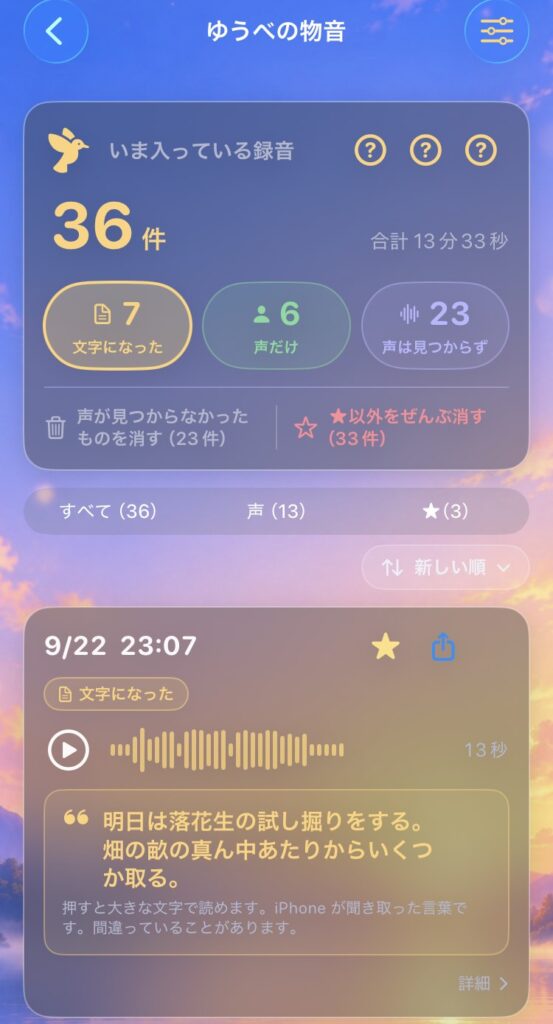
Speaking a night-time idea into a memo
Sometimes a good thought arrives just as you are falling asleep. Turn on the light to write it down, and you are awake again.
Instead, just face the iPhone and say it clearly out loud. A clear voice can be read as text in the morning. It reaches from a metre away.
The words are recognised in the language your iPhone is set to. If your iPhone is in English, speak English and you will read English in the morning.
Note: sleep-talking almost never becomes text. It stays as sound.
It records only when there is a sound
- The microphone is connected only between the moment you tap “Good night” and the morning.
- It records only when a sound clearly louder than the room’s usual quiet continues like a voice. Quiet stretches are not recorded.
- One recording is at most 60 seconds. It starts about 8 seconds before the sound, so the beginning of the sound is included.
- The total for one night is at most 90 minutes.
- While it is recording, an orange dot appears at the top of the iPhone screen. That is the iPhone telling you the microphone is live.
An iPhone cannot measure how many decibels the sounds in your room are. All it can measure is how much louder than the usual quiet a sound is. So how loud a sound has to be to be picked up is decided from the quiet of your room on that night.
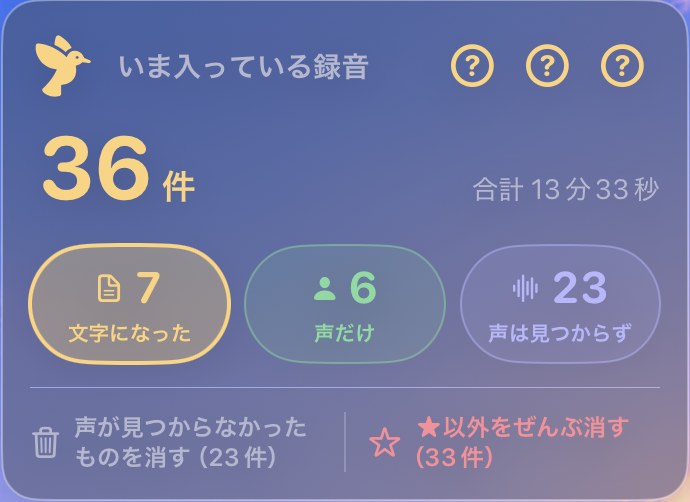
Three boxes
Recordings are sorted into three boxes by how much they sound like a human voice.
| Box | What is in it |
|---|---|
| Became text | A human voice was found, and it could be written as text |
| Voice only | A human voice was found, but no text came out (sleep-talking, snoring, groans and so on) |
| No voice found | The human-voice likelihood did not reach 15% (wind, objects, insects and so on) |
“No voice found” does not mean there is no voice in it. It means the iPhone did not find one.
Tap a box and the list narrows to that box. Tap it again and everything comes back. Together with the all / voice / ★ switch below, that gives six ways of looking at the night.
The name of a sound (“snoring”, “dog bark” and so on) is only shown when the iPhone judges the sound to be that. If it is less than half sure, no name is shown.
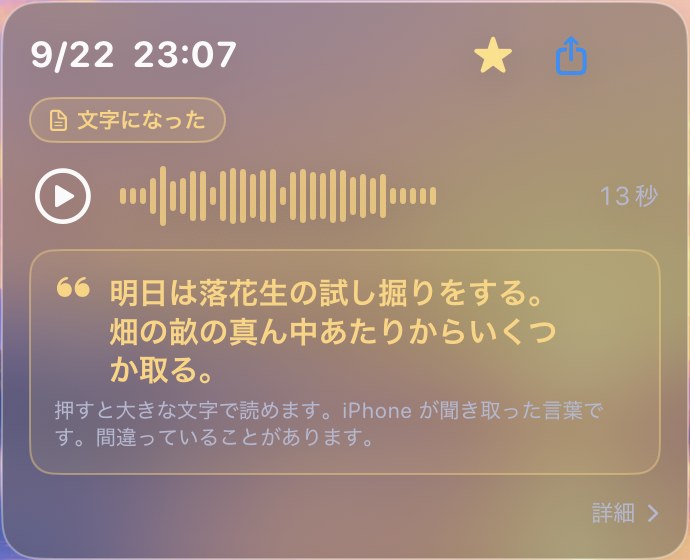
Listen, keep, delete
- The play button on a card plays the recording there and then.
- Mark a recording you want to keep with ★.
- “Delete the ones with no voice found” and “Delete all except ★” delete in bulk. Recordings marked ★ are not deleted by either button. Before deleting, you are always shown how many will go.
- Recordings are never deleted automatically. They stay until you delete them.
Turning voices into text
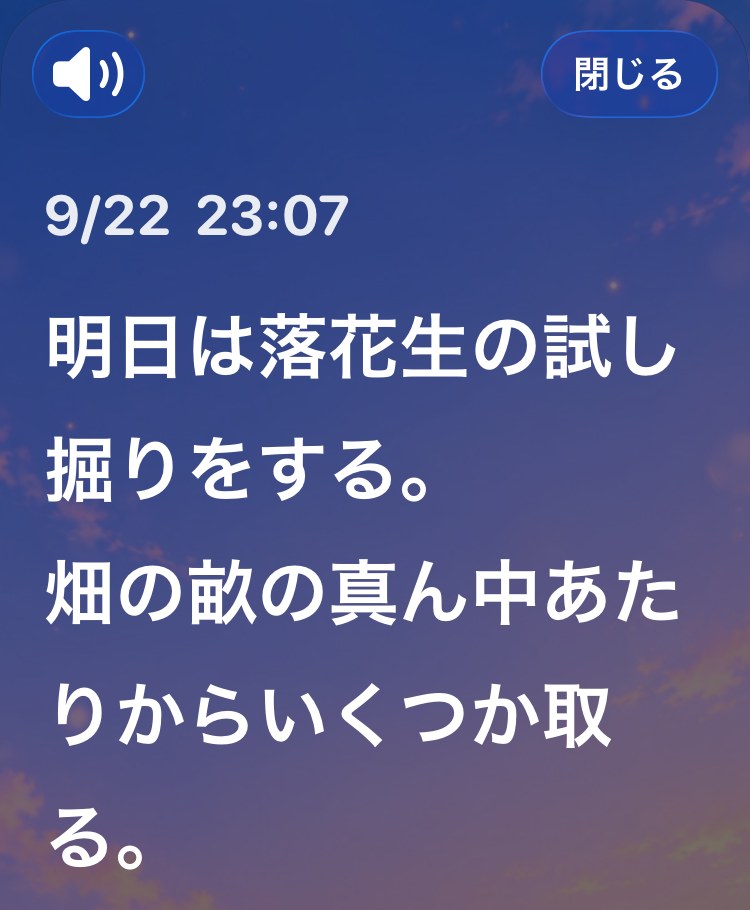
A recording in which a human voice was found can be turned into text. Tap the text to read it in large type.
These are the words the iPhone heard, so they can be wrong.
- On newer iPhones, the words are turned into text inside the iPhone only. The very first time, a part for hearing your language is fetched from Apple (only the part; your recordings are not sent).
- On iPhones that cannot do it inside, that recording is sent to Apple’s speech recognition to be turned into text. You are asked once before anything is sent, and nothing is sent until you answer. The developer never receives it.
Sending
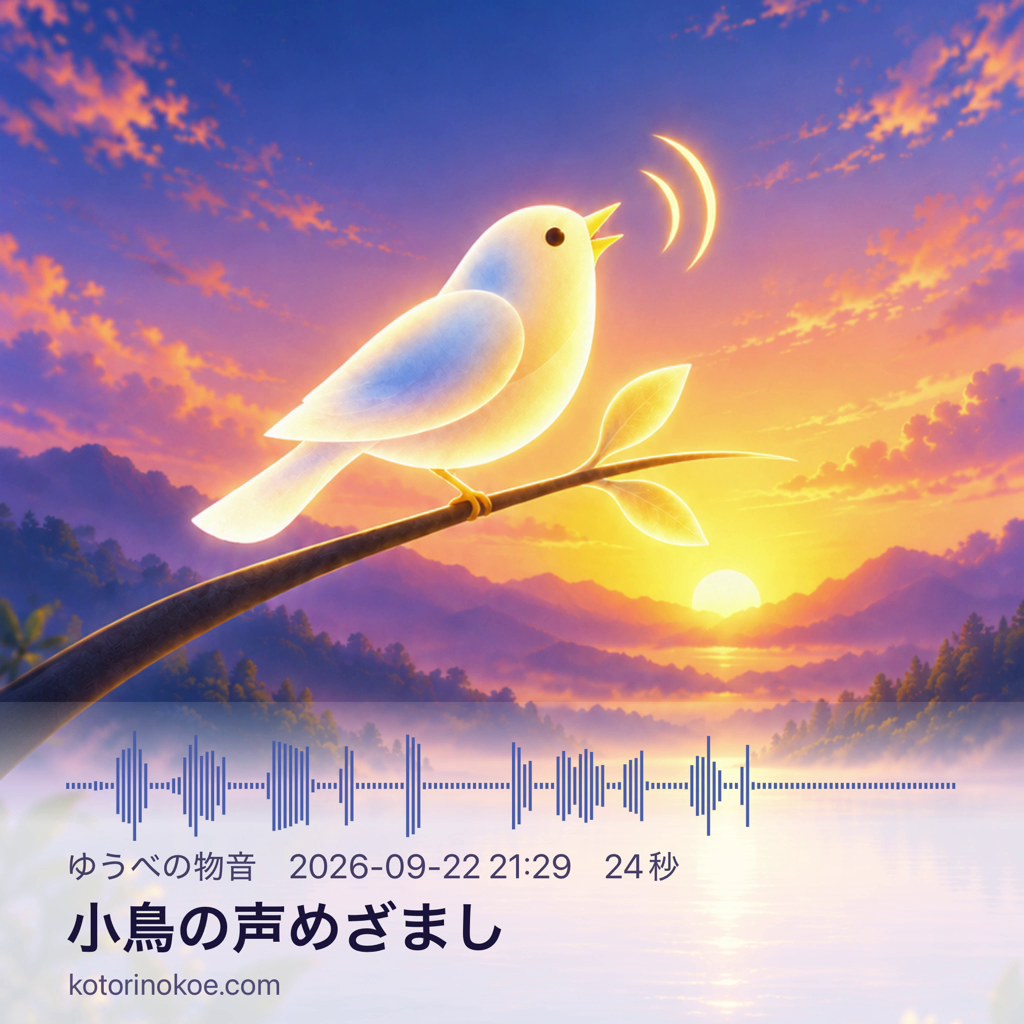
A recording can be sent with “Send the sound only” or “Send as a video”, to LINE, mail, AirDrop and so on. The video is one picture with the wave, the date, time and length of the recording laid over it, and the sound of the recording as it is.
Both happen only when you tap them yourself.
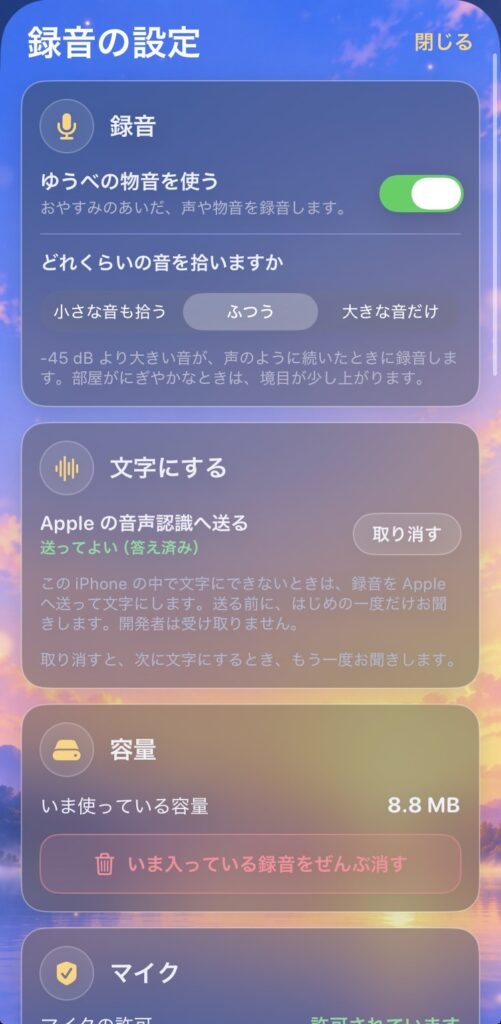
Recording settings
You can choose how loud a sound has to be to be picked up, from three: “Pick up soft sounds too”, “Ordinary”, and “Only loud sounds”.
When you choose, the line below shows the threshold: “Records when a sound louder than ◯ dB goes on like a voice”. On a night when the room is noisy, the threshold rises a little.
Note: this dB is a guide to the loudness the iPhone’s microphone received. It is not a measurement of the room in decibels.
The settings also let you withdraw the “yes, you may send it” answer for turning voices into text, and show how much storage is used and whether the microphone is allowed.
They stay in the Night Ring as well
A recording whose human-voice likelihood is 75% or more, and any recording that became text, is kept as a gold dot on the outside of the Night Ring in your wake log. Delete the recording later, and the gold dot on the ring stays.
Where the recordings are kept
- Recordings are kept inside this iPhone only. They are not put into iCloud or any other backup, so they do not move with you when you change phones.
- If someone else sleeps in the same room, their voice is recorded too. Please tell them.
- More is written in the privacy policy.